
Trackable checks what a solar site actually did, independent of the monitoring platform that reports on it. Its chat lets an asset manager ask a plain question and get an answer they can check. Every citation is checked against the record in code before the answer appears.
Try it
Ask anything, or pick a suggestion. Open a citation to see the record behind a claim.
Where the pattern comes from
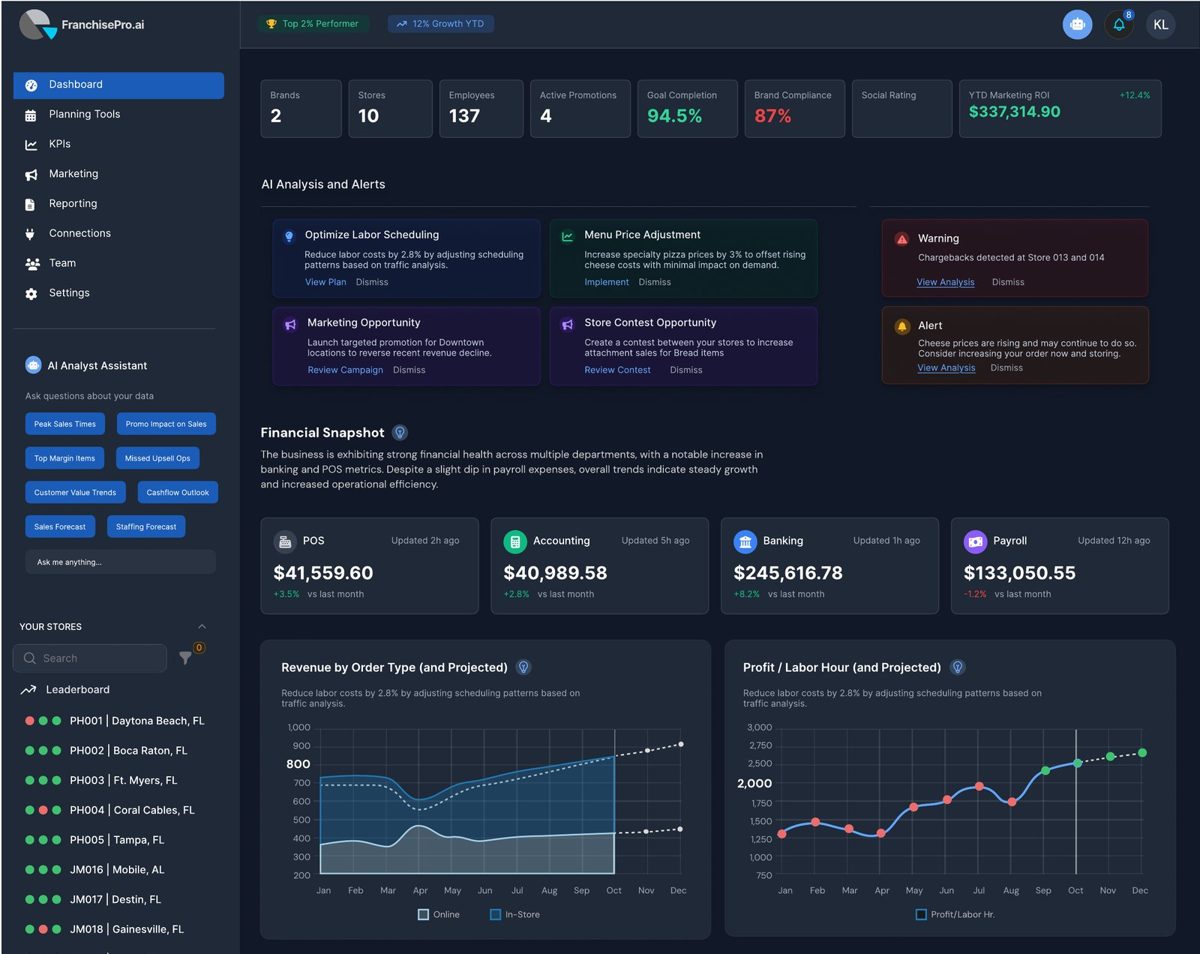
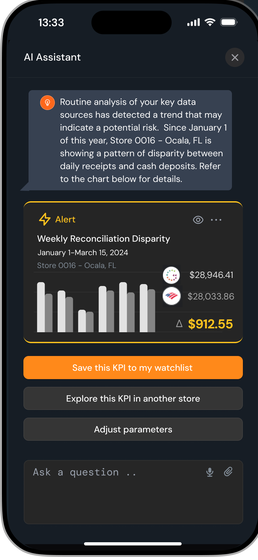
I’ve designed this assistant before. FranchisePro, RealtyView and a behavioral health practice dashboard each have an assistant inside the product that answers questions, raises alerts and makes recommendations from the client’s own documents and data. Trackable keeps that pattern and adds the evidence.
FranchisePro
For franchise owners · Ran for one franchisee, saving 30+ hours a month · assistant prototyped
Grounded in the owner’s specific franchise agreement and their operational data. Recommendation cards end in an action (Implement, Review, Dismiss), suggested questions sit under the assistant, and on the phone an alert opens into the evidence and three ways to follow up.
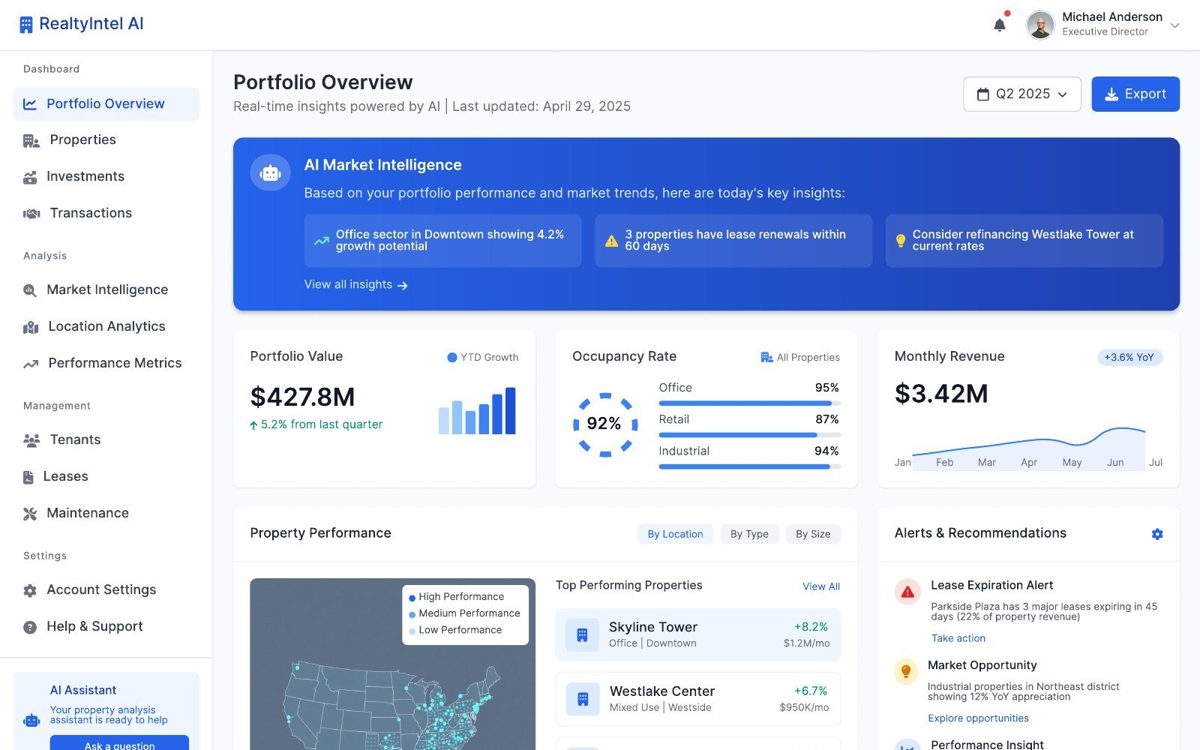
The same assistant working from a property portfolio: daily insights up top, alerts and recommendations that each end in an action, and a way to ask a question from anywhere.
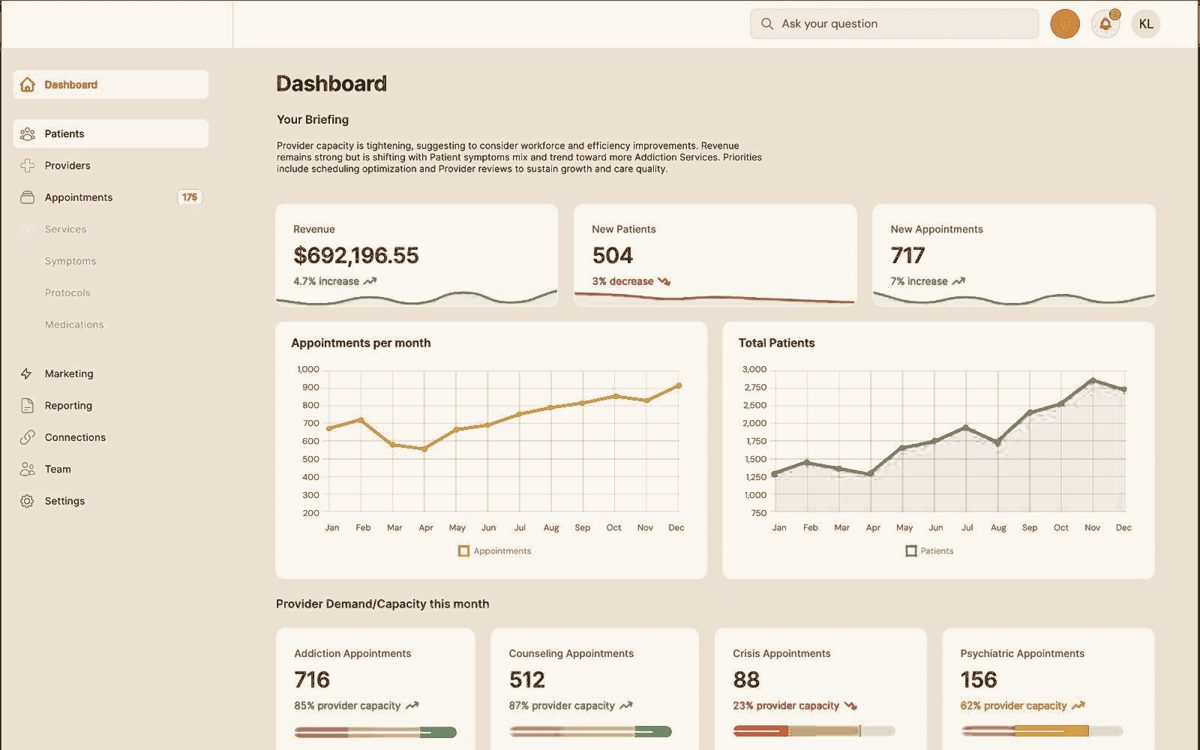
Triage for a practice: a written briefing on what changed and what to prioritize. It runs on the same platform architecture as FranchisePro: the same navigation, ask bar, briefing and cards, themed for a clinic in warm neutrals instead of dark navy.
What repeats across all four
- A written briefing first: what changed and what needs attention.
- Alerts that end in an action, never just a number.
- Suggested questions, so nobody starts at a blank box.
- A way to ask from every screen.
What Trackable adds
- The evidence behind every claim, one click away.
- Verdicts that say how sure the answer is.
- An answer that says plainly what the data cannot show.
Verdict badges
Each claim in an answer carries a verdict. The verdict is a written label. Color and shape back it up, so the four states stay distinct in grayscale, for color-blind readers and in the dark theme.
| Badge | Means |
|---|---|
| Verified | Two independent records agree. |
| Attributed · Utility | The cause is assigned, with the side of the meter named. |
| Not in site record | Trackable saw it, and the monitoring platform did not log it. |
| Pending | Evidence is still arriving or under review. |
Composer states
Each state says in words what is happening and what to do next.
Empty
Ask is disabled until there is a question. Suggestions sit above it, so a new user never faces a blank box.
Ready
Enter asks. Shift and Enter adds a line. The box grows to five lines, then scrolls.
Answering
Ask becomes Stop. A stopped answer stays on screen, marked as incomplete, and is never quietly finished.
Offline
OFFLINE. Your question will send when you reconnect.
Typing still works. The question is held, not lost, and the banner says so.
No data yet
When the scope has nothing independent to check, the composer says why instead of answering from the platform's own data.
Scope
Scope is always visible, so an answer about one site is never mistaken for an answer about the fleet.
Evidence and SMS
Evidence row
Record ID, what was observed, where it came from and when, and its verdict. The same row appears in the side panel, the export and the SMS reference line.
The same answer by SMS
Same answer, same verdicts, written for a text message. Evidence becomes a reference line and a link to the full record.
How an answer is written
These rules go to the AI with every question, because the writing is part of the design. Rules alone don’t guarantee anything, so code then checks each answer: a citation that isn’t in the record is removed, and a figure left with no citation is dropped before you see it.
- 01The first sentence answers the question. Context comes after.
- 02Every factual claim cites at least one evidence record. A claim with no record does not go in.
- 03Say what was observed and what was inferred, and keep them apart.
- 04When the data cannot answer the question, say so, say why, and say what would. Never fill the gap from the monitoring platform alone.
- 05Times carry the site's time zone. Energy carries units. Estimates say what they were estimated from.
- 06Verdicts are words. Color and shape support them and never replace them.
- 07The SMS version keeps the answer and the verdicts, drops the prose, and fits in two messages.